Claude Artifacts vs ChatGPT Canvas: Which AI Builder Tool Wins in 2026?
Quick Answer
Claude Artifacts and ChatGPT Canvas are both AI-powered workspaces that let you create, preview, and iterate on content — but they serve different primary use cases. Claude Artifacts is built for interactive previews (code, data viz, web components) and excels at rapid prototyping. ChatGPT Canvas is built for document collaboration (writing, editing, structured content) and excels at longer-form content refinement. For developers, Artifacts wins. For writers, Canvas wins. For everything else, the choice depends on whether you need interactive output or polished documents.
Introduction
Two of the most powerful AI tools on the market right now serve the same basic purpose — giving you a visual space to create with AI — but they approach it from completely different angles.
Claude Artifacts, launched by Anthropic in 2024 and continuously improved since, lets you generate and preview interactive content directly inside your chat window. Code runs, charts render, diagrams display — all without leaving the conversation.
ChatGPT Canvas, launched by OpenAI in late 2024 and expanded through 2025, gives you a dedicated document editor alongside the chat. You write, highlight sections, ask for edits, and see changes applied inline — like a collaborative document editor with AI as your co-author.
I built the same multi-step signup form in both tools to compare them head-to-head. Here’s what I found.
Claude Artifacts: The Developer’s Preview Tool
Claude Artifacts emerged from Anthropic’s vision of making AI output tangible. When Claude generates code, a data visualization, or a document, Artifacts renders it in real time within the chat interface.
What makes Artifacts powerful is the immediacy. You prompt, Claude generates, and the result appears as a live preview. You can iterate by asking for specific changes — “make the header blue, add a bar chart, make it responsive” — and each iteration updates the preview instantly.
Artifacts supports multiple output formats:
- HTML pages with CSS and JavaScript (fully interactive)
- SVG graphics and data visualizations
- React components (rendered inline)
- Mermaid diagrams and flowcharts
- Markdown documents with formatting
- LaTeX mathematical expressions
The real strength is code. Artifacts can render full web applications — forms, dashboards, data visualizations, interactive tools — as previewable output. This makes it ideal for developers prototyping UI components, data analysts visualizing datasets, or anyone who needs to see what their AI-generated output looks like in a browser.
However, Artifacts has limitations. The editing model is iterative — you describe changes, Claude generates a new version. There’s no direct text editing within the artifact. You can copy the output, but you can’t highlight a paragraph in the artifact and ask Claude to rewrite just that section.
ChatGPT Canvas: The Document Collaborator
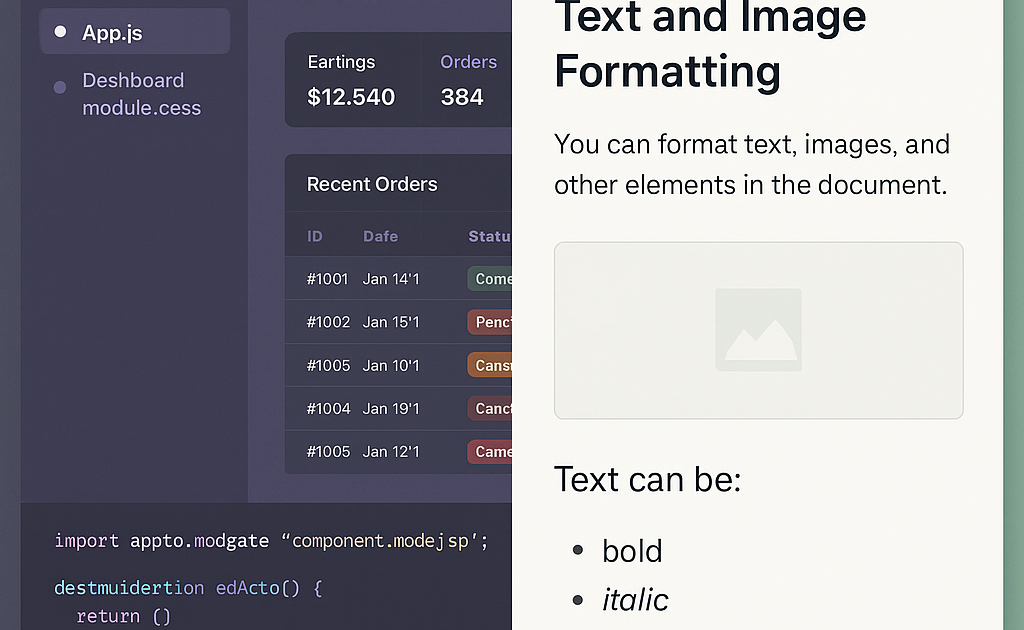
ChatGPT Canvas takes a different approach. Instead of rendering output inline, Canvas opens a separate editing pane alongside the chat. The AI-generated content appears in a full document editor where you can see, highlight, and edit text directly.
Canvas’s key innovation is inline editing with AI assistance. You can highlight any section of the document and give an edit command: “Make this paragraph more concise,” “Rewrite this in a professional tone,” “Add a bullet list here.” The AI applies the change to the selected section while leaving the rest of the document untouched.
Canvas supports multiple content types:
- Long-form documents (articles, reports, essays)
- Code files with syntax highlighting
- Structured content (tables, lists, outlines)
- HTML previews (view rendered output in a split pane)
Canvas shines for writing and editing workflows. It’s excellent for drafting articles, editing existing content, refining prose, and structuring documents. The ability to see the full document context while making targeted edits is a significant advantage over conversational interfaces where every change requires regenerating the entire output.
Canvas’s weakness is interactive output. While it can preview HTML, it doesn’t match Artifacts for interactive content. You won’t build a real-time dashboard or an interactive data visualization in Canvas the same way you can in Artifacts.
The Practical Test: Building a Multi-Step Signup Form
To compare these tools directly, I gave both the same prompt:
“Create a multi-step signup form with 3 steps: personal info, account details, and confirmation. Include validation on each step, a progress bar showing which step the user is on, and smooth transitions between steps. Use modern, clean design.”
Claude Artifacts: Claude generated a complete HTML file with embedded CSS and JavaScript. The artifact rendered immediately in the chat window — a fully working form with progress bar, step navigation, and client-side validation. I asked for changes (adjust colors, add email format validation, improve the progress bar animation). Each change updated the preview within seconds. The entire build took approximately 4 minutes and 6 iterations.
ChatGPT Canvas: ChatGPT generated the HTML in Canvas. The code appeared in the editor pane with syntax highlighting. To preview it, I needed to click a “Preview” button which opened the rendered HTML in a separate pane. Iterating was slower — I had to highlight the relevant code section or describe changes, and Canvas applied them inline. The final result was comparable in quality, but the process took longer because I couldn’t see the live result as I iterated.
Verdict on this test: Claude Artifacts was significantly faster for building an interactive form. The live preview made iteration nearly instant. Canvas produced a good result but the split preview slowed the feedback loop.
Detailed Feature Comparison
Best for: Artifacts = Interactive code & visualizations | Canvas = Long-form writing & editing
Preview model: Artifacts = Live inline rendering | Canvas = Split pane with preview button
Editing: Artifacts = Iterative (describe change → regenerate) | Canvas = Inline (highlight section → edit selection)
Code support: Artifacts = Excellent (HTML, React, SVG, Mermaid) | Canvas = Good (code with syntax highlighting, basic HTML preview)
Writing support: Artifacts = Good (documents render as formatted text) | Canvas = Excellent (full document editor with tracked changes)
Iteration speed: Artifacts = Fast (instant preview update) | Canvas = Moderate (needs preview button click)
Export: Artifacts = Copy source, download files | Canvas = Copy, download as document
Share: Both = Share link
Available on: Artifacts = Claude.ai (all plans) | Canvas = ChatGPT (Plus, Pro, Team)
When to Use Claude Artifacts
Choose Claude Artifacts when your output needs to be interactive. This includes:
- Building web app prototypes (dashboards, forms, tools)
- Creating data visualizations and charts from raw data
- Generating SVG graphics or diagrams
- Previewing React components during development
- Creating interactive learning materials or tutorials
- Building internal tools and utilities
Artifacts is the better choice when seeing the result in action matters more than fine-tuning the text. If you’re a developer, data analyst, or educator creating interactive materials, start with Artifacts.
When to Use ChatGPT Canvas
Choose ChatGPT Canvas when your focus is writing and document quality. This includes:
- Drafting long-form articles, reports, or blog posts
- Editing and refining existing content
- Translating documents with inline review
- Adjusting tone, style, or reading level of written content
- Collaborating on structured documents (proposals, plans, outlines)
- Reviewing and polishing AI-generated code with context
Canvas is the better choice when the quality of the text matters most and you need granular control over specific sections. If you’re a writer, editor, content creator, or anyone who needs to polish prose, start with Canvas.
What About Gemini Canvas?
Google’s Gemini Canvas is the third major player in this space, and it competes differently. Gemini Canvas is integrated directly into Google Workspace — it can pull from your Gmail, Google Docs, and Calendar to create content. For users deeply embedded in the Google ecosystem, Gemini Canvas offers the tightest integration. However, for standalone creative and development work, both Claude Artifacts and ChatGPT Canvas offer more mature feature sets and better model capabilities for complex tasks.
(We covered Gemini Canvas in detail in our Gemini Canvas vs Claude Artifacts article.)
Can You Use Both?
Yes, and many power users do. They serve different phases of the same workflow:
- Use Claude Artifacts for rapid prototyping and exploration — build the first version of your app, visualization, or interactive tool
- Use ChatGPT Canvas for writing and documentation — draft the accompanying article, documentation, or report
This complementary workflow leverages each tool’s strength. Artifacts handles the visual and interactive output. Canvas handles the written content. Together, they cover the full creation cycle.
Frequently Asked Questions
Q: Is Claude Artifacts free?
A: Yes, Artifacts are available to all Claude users, including free tier. Free users have usage limits; Pro and Team subscribers get higher limits and priority access.
Q: Is ChatGPT Canvas free?
A: Canvas is available to ChatGPT Plus, Pro, and Team subscribers. Free users have limited or no access depending on their tier.
Q: Can Claude Artifacts render React components?
A: Yes. Claude Artifacts can render React components inline, making it valuable for frontend prototyping and component development.
Q: Can ChatGPT Canvas edit specific sections of my document?
A: Yes, this is Canvas’s signature feature. You highlight any section and tell Canvas what change to make — it applies the edit to only that section.
Q: Does Claude Artifacts support document editing like Canvas?
A: Not directly. Artifacts renders documents as formatted previews, but you can’t select specific paragraphs and request targeted edits. You describe the change and Claude regenerates the whole artifact.
Q: Which tool is better for coding?
A: Claude Artifacts is generally better for coding, especially for web development and interactive applications. The live preview makes iteration significantly faster.
Q: Which tool is better for writing?
A: ChatGPT Canvas is better for writing. The inline editing capability and full document view make it superior for long-form content creation and refinement.
Conclusion
Claude Artifacts and ChatGPT Canvas are not direct competitors in most scenarios — they are different tools optimized for different jobs.
Artifacts is the faster, more interactive choice for building and previewing code, visualizations, and web content. Canvas is the more polished choice for writing, editing, and refining documents.
The right tool depends on what you’re creating. If you’re building something interactive, choose Artifacts. If you’re writing something polished, choose Canvas. And if you’re doing both, use them together — each excels where the other falls short.