I have been building AI applications for a while now, and one problem keeps coming up no matter what model I use. Large language models are brilliant at generating text that sounds convincing, but they have no idea whether what they are saying is actually true. They guess based on patterns they learned during training, and sometimes the guess is wrong. That is where RAG comes in.
What Is RAG Really?
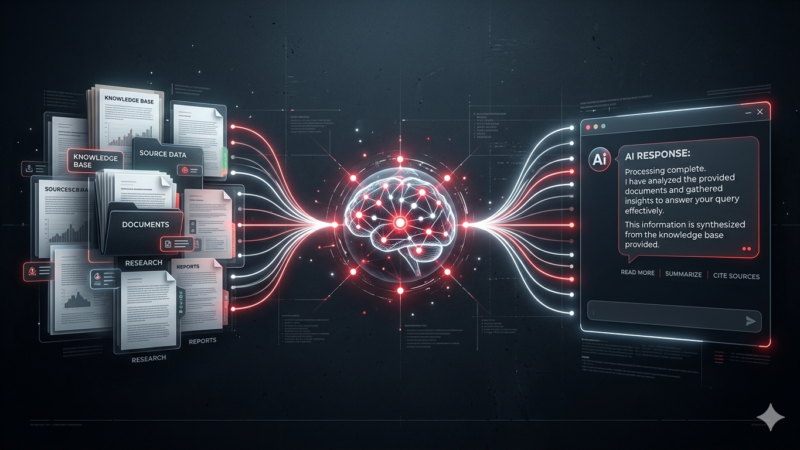
RAG stands for Retrieval Augmented Generation. It is a way of giving an LLM access to real information before it generates a response. Instead of relying solely on what the model learned during training (which might be outdated or incomplete), RAG pulls relevant documents from a database, feeds them into the model’s context, and lets the model answer based on actual facts.
Think of it like giving a student an open book exam. Without RAG, the model is taking the exam from memory. It might remember the broad strokes, but it will stumble on specific details. With RAG, you hand the model the textbook and say “look it up before you answer.” The answers become significantly more accurate.
Why I Started Using RAG
A few months ago, I was building a customer support chatbot for a client who runs an ecommerce store selling electronic components. The store had hundreds of products with specific technical specifications, return policies, and compatibility notes. I tried using GPT-4 directly, and the results were terrible. The model kept inventing compatibility details that did not exist. It told one customer that a certain capacitor would work with a motherboard when it would not. That is a hallucination, and in an ecommerce context, it costs real money.
I needed a way to make the model actually read the product database before answering. That was my first real encounter with RAG, and it solved the problem completely. The chatbot stopped hallucinating because it was pulling the actual product specs from the database before generating each response.
How RAG Works In Plain English
Here is the simplest breakdown I can give you. RAG has three steps. First, retrieve. When a user asks a question, the system searches a database for documents that are relevant to that question. This is usually done using vector search, where both the question and the documents are turned into mathematical representations and compared for similarity. The documents that are most similar to the question get pulled out.
Second, augment. The retrieved documents are added to the prompt that gets sent to the LLM. The prompt now contains both the user question and the relevant information needed to answer it.
Third, generate. The LLM reads the question together with the retrieved information and generates a response based on the actual facts, not just its training data.
That is it. It sounds simple, and in concept it is. The complexity comes from deciding what to store in the database, how to structure it, how to keep it updated, and how to make sure the retrieval step actually finds the right documents.
A Concrete Example
Let me walk through a real example so you can see how this works in practice. Say I have a product database with 500 items, each with a name, description, price, and compatibility notes. I want to build a chatbot that customers can ask questions about these products.
First, I take each product description and convert it into a vector embedding using a model like text-embedding-3-small from OpenAI. These embeddings are stored in a vector database like Pinecone or pgvector. Each product becomes a point in a high dimensional space where similar products are close together.
A customer asks: Does this power supply work with an RTX 5090? The system converts that question into the same type of embedding and searches the vector database for the most similar product descriptions. The top 3 to 5 matching documents come back.
The system constructs a prompt that says: Here are the relevant product specs. Based on these documents, answer the customer question. If the documents do not contain the answer, say you do not know. The LLM generates a response using those documents. If the power supply is compatible, it says so and cites why. If it is not, it says that too. It never invents an answer because it has the actual specs right there in its context window.
RAG vs Fine Tuning
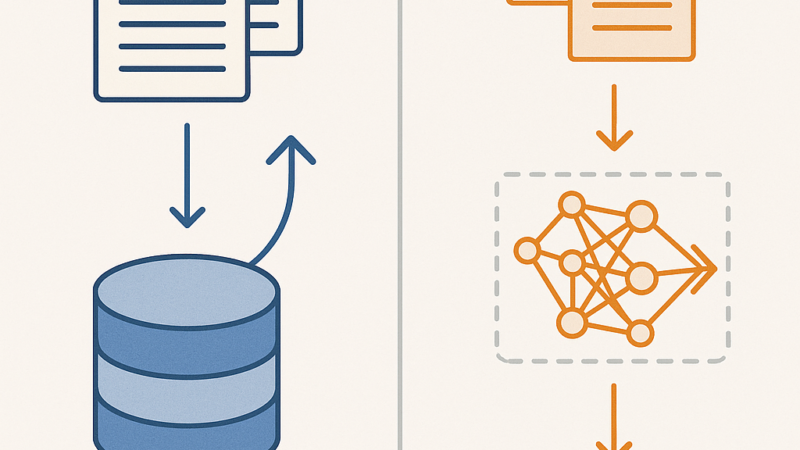
A lot of people confuse RAG with fine tuning. They are completely different approaches. Fine tuning is when you take a pre trained model and train it further on your own data to adjust its behavior. This changes the model itself. It is expensive, takes time, and you need a lot of data to do it well.
RAG does not change the model at all. It only changes what information the model has access to when generating a response. It is cheaper, faster, and easier to update. If your data changes, you just update the database. With fine tuning, you have to retrain the model from scratch.
When To Use RAG
RAG is the right choice when you need your AI to answer questions that require specific, factual, or up to date information. Customer support chatbots that need to reference product catalogs, knowledge bases, or policy documents. Internal company assistants that answer questions about HR policies or legal documents. Research tools that summarize information from a specific set of papers. Ecommerce product finders that match customer needs to product specs. Healthcare applications where accuracy is critical and the model must reference verified medical information.
When RAG Does Not Help
RAG will not help if your database contains bad information. Garbage in, garbage out still applies. If your product specs are wrong, the RAG system will confidently repeat those wrong specs. The retrieval is only as good as the data you put in.
RAG also does not help with creative tasks. If you want the model to write a poem or generate marketing copy, retrieval is not going to make the output better. RAG is for factual accuracy, not creativity. Use the base model for creative work and add RAG when you need facts.
Building a Simple RAG Pipeline
If you want to try RAG yourself, here is the simplest setup that actually works. You need three things: a vector database, an embedding model, and an LLM.
Start by choosing a vector database. For a small project, you can use Chroma or Weaviate, both of which run locally. For production, you would look at Pinecone or Qdrant. I started with Chroma because it is free, runs on my laptop, and took about 10 minutes to set up.
Next, pick an embedding model. OpenAI text-embedding-3-small costs pennies and works well. For a free option, you can use sentence-transformers from Hugging Face, though you will need to run it yourself.
Finally, choose your LLM. Any model works. GPT-4, Claude, or even a local model like Llama 3 will generate good answers as long as you give it the right context.
The flow is straightforward. Take your documents, split them into chunks of roughly 500 to 1000 words each, embed each chunk, and store the embeddings in the vector database. When a query comes in, embed the query, search for the most similar chunks, and feed them to the LLM along with the original question.
My Take on RAG in 2026
RAG is not a buzzword. It is the single most practical technique I have found for making LLMs actually useful in real world applications. Without it, models hallucinate. With it, they become reliable tools that you can trust with factual information. Every AI application I build now starts with RAG as the default assumption.
If you are building anything that requires accurate answers, skip the fine tuning and start with RAG. You will save time, money, and a lot of frustration. Start simple, test with real queries, and iterate from there. The technology has matured enough in 2026 that setting up a basic RAG pipeline takes an afternoon, not a month.
Learn more about RAG Explained: What Retrieval-Augmented Generation Actually Is (And How to Build It).