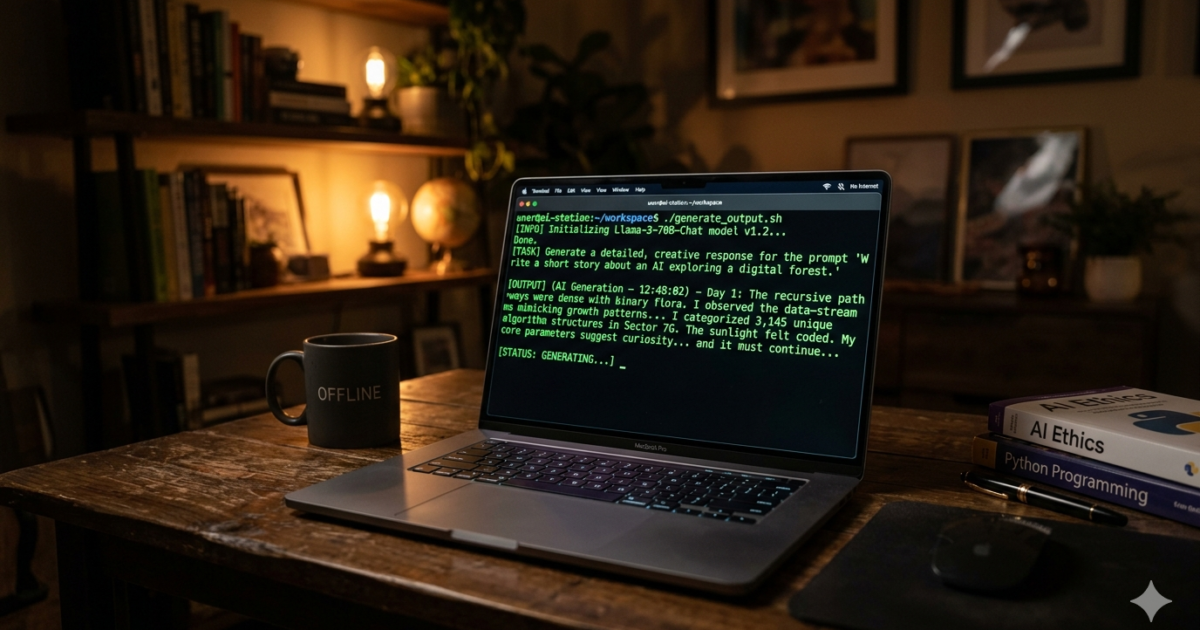
This is my month-long experiment running LLMs locally on my own hardware.
I committed to running AI models locally for 30 days — no ChatGPT, no Claude subscriptions. I uninstalled everything and relied exclusively on local AI models. Here is the honest verdict on what happens when you run AI models locally full-time.
Running LLMs Locally: Why Go Local?
There’s a growing movement in the AI community toward running models on your own hardware. The arguments are compelling:
- Privacy — your data never leaves your machine
- No subscription costs — pay for hardware once, no monthly fees
- Offline access — works without internet
- No censorship — uncensored models exist for legitimate use cases
- Customization — full control over the model and its configuration
I wanted to know if these benefits were worth the compromises. So I committed to 30 days of local-only AI.
My Setup
Hardware: A desktop with an RTX 3090 (24GB VRAM) and 64GB of system RAM.
Software: Primarily Ollama for model management, with LM Studio as a backup for trying models that weren’t in Ollama’s library. Open WebUI as the chat interface.
Models I used regularly:
- Llama 3.1 8B — my daily driver, fast and capable
- Mistral 7B — fast and efficient for simpler tasks
- Qwen 2.5 7B — surprisingly good at coding and reasoning
- Llama 3.1 70B — ran at about 2 tokens per second with 4-bit quantization, almost unusable for real-time chat but excellent for batch processing
Week 1: The Honeymoon Phase
The first week was great. Setting up Ollama took about 15 minutes. ollama pull llama3.1:8b downloaded the model, and I was chatting within 20 minutes.
For basic tasks — explaining concepts, brainstorming ideas, drafting emails — Llama 3.1 8B was surprisingly good. Not as polished as ChatGPT 4o, but definitely usable. The responses felt faster because there was no network latency. Text appeared as fast as I could read it.
I felt like I’d discovered a hack. Why was everyone paying for AI when this was free?
Week 2: The Limitations Set In
By week two, the cracks started showing.
Coding was the first problem. Llama 3.1 8B could write simple Python scripts fine, but it struggled with complex logic, modern libraries, and anything involving multiple files. ChatGPT 4o handled these easily. The 8B model just didn’t have the reasoning capacity.
I tried the 70B model. It was better at reasoning — much better — but at 2 tokens per second, a conversation felt like talking to someone with a severe speech impediment. A 30-second interaction with ChatGPT became a 5-minute wait.
Factual accuracy was another issue. The smaller models hallucinate more frequently than their larger counterparts. And without internet access, they couldn’t look anything up. If I asked about a current event, I got either “I don’t have information about that” or a confident lie.
Multimodal capabilities were basically non-existent. My local setup couldn’t analyze images, transcribe audio, or generate videos. These are things I use regularly without thinking about.
Week 3: The Workflow Split
Week three is when I developed a split workflow.
For creative and personal tasks — journaling, brainstorming blog ideas, drafting — I stayed local. The privacy was genuine peace of mind, and the quality was good enough.
For technical tasks — coding, debugging, data analysis — I started cheating. I’d copy the problem to ChatGPT on my phone, get the answer, and type it back into my local setup. This was ridiculous and I knew it.
For factual questions and research, I’d use a local model with web search via a plugin. This actually worked decently, but the web search integration was clunky compared to ChatGPT’s seamless browsing.
Week 4: The Verdict
By the end of the month, I had a clear picture.
What Local AI Does Well
Privacy. This is the real win. My medical research, personal writing, and business ideas never touched a third-party server. For anyone handling sensitive information, this alone justifies going local.
Cost at scale. If you’re a heavy user doing hundreds of queries a day, local quickly becomes cheaper than API calls. The RTX 3090 cost me $700 two years ago. That’s about 18 months of ChatGPT Plus. If I use it for AI every day, it pays for itself.
Experimentation. Local AI is a playground. I can try any model, any quantization, any configuration. I’m not locked into what a provider offers.
Latency for simple tasks. Once the model is loaded, responses start instantly. No spinning wheel waiting for a server response.
What Local AI Does Poorly
Reasoning. Even the best quantized local models fall short of GPT-4 or Claude 3.5 for complex reasoning. If your work requires deep analysis, you’ll feel the gap.
Multimodality. Image understanding, audio transcription, video generation — these are essentially unavailable on local hardware for most people.
Current information. Without internet access, models are stuck at their training cutoff. Plugins help but aren’t seamless.
Convenience. I missed the polished UX. ChatGPT remembers context across sessions. It suggests follow-ups. It integrates with tools. The open-source chat interfaces are improving, but they’re not there yet.
Who Should Go Local
After 30 days, here’s my honest recommendation:
Go local if:
- You work with sensitive or private data
- You’re heavily experimenting with different models and configurations
- You do very high volume (100+ queries per day) and want to save on API costs
- You need offline AI access regularly
- You enjoy tinkering with technology
Stick with cloud if:
- You need the best possible reasoning and accuracy
- You rely on multimodal features
- You want a polished, reliable experience
- You use AI casually (a few queries a day)
Hybrid if: This is where I ended up. Local for private work and experimentation. Cloud subscriptions for when I need the best possible output. The two approaches complement each other. Local isn’t a replacement — it’s a supplement.
Running LLMs locally at scale means you eventually want to understand fine-tuning — our guide on how to fine-tune an LLM covers adapting a local model to your domain. If privacy is your main reason to run AI models locally, it pairs well with AI agents — local agents can take actions on your machine without any data leaving it. For a broader overview, see the best free AI tools in 2026.
The easiest way to run AI models locally today is Ollama — one command to download and run models like Llama 3.3 or Mistral on your own hardware.
What I’m Actually Running Now
For anyone curious about getting started:
1. Install Ollama — it’s the easiest path. One command installs it, one command downloads a model, one command runs it.
2. Start with Llama 3.1 8B — it’s the sweet spot for capability vs. hardware requirements. You need about 8GB of VRAM.
3. Get Open WebUI — it turns Ollama into a ChatGPT-like interface with conversations, history, and file uploads.
4. Add a larger model — Qwen 2.5 32B is excellent for complex tasks if you have the VRAM (16GB+).
My local setup costs me nothing in monthly subscriptions. I use it for privacy-sensitive work, experimentation, and simple daily tasks. I still pay for ChatGPT for coding help and deep research. Both have their place.
Related: fine-tuning an LLM on custom data and AI model pricing and performance comparison.