I Tested ChatGPT’s New Personal Finance Feature — Here’s What It Can Actually Do
Quick Answer
ChatGPT’s new personal finance feature, launched in May 2026, lets Pro users connect their bank accounts, credit cards, and investment portfolios through Plaid and talk to ChatGPT about their finances. The AI analyzes spending patterns, tracks subscriptions, monitors portfolio performance, and helps with budgeting — all grounded in your real financial data. It supports 12,000+ financial institutions and runs on GPT-5.5’s improved reasoning. This article walks through how it works, what it does well, and where it falls short.
Introduction
More than 200 million people come to ChatGPT every month for money-related questions. They ask about budgeting, investments, mortgages, and financial planning. But until now, ChatGPT answered these questions without knowing anything about the person asking. It gave generic advice because it had no context.
That changed in May 2026 when OpenAI released a personal finance preview for Pro users in the United States. Now you can connect your financial accounts through Plaid, see a dashboard of your spending and investments, and ask ChatGPT questions that are grounded in your actual financial situation. Instead of “How should I budget?” it can tell you exactly where your money is going and what to adjust.
I tested the feature to see how well it works in practice. Here is what I found.
How to Set Up ChatGPT Financial Accounts
The setup process is straightforward. You open the Finances section from the ChatGPT sidebar and click “Get started.” Alternatively, you can type “@Finances, connect my accounts” from any conversation.
ChatGPT walks you through linking your accounts through Plaid, the same secure service used by apps like Venmo, Betterment, and SoFi. Plaid supports more than 12,000 financial institutions, so most major banks, credit unions, and brokerages are covered. Intuit support is coming soon for QuickBooks and Mint users.
The authentication process is standard — you log in to your bank or brokerage through Plaid’s interface. ChatGPT never sees your login credentials. After authentication, ChatGPT begins syncing and categorizing your data. This takes a few minutes, especially if you have multiple accounts with extensive transaction histories.
What the Financial Dashboard Shows
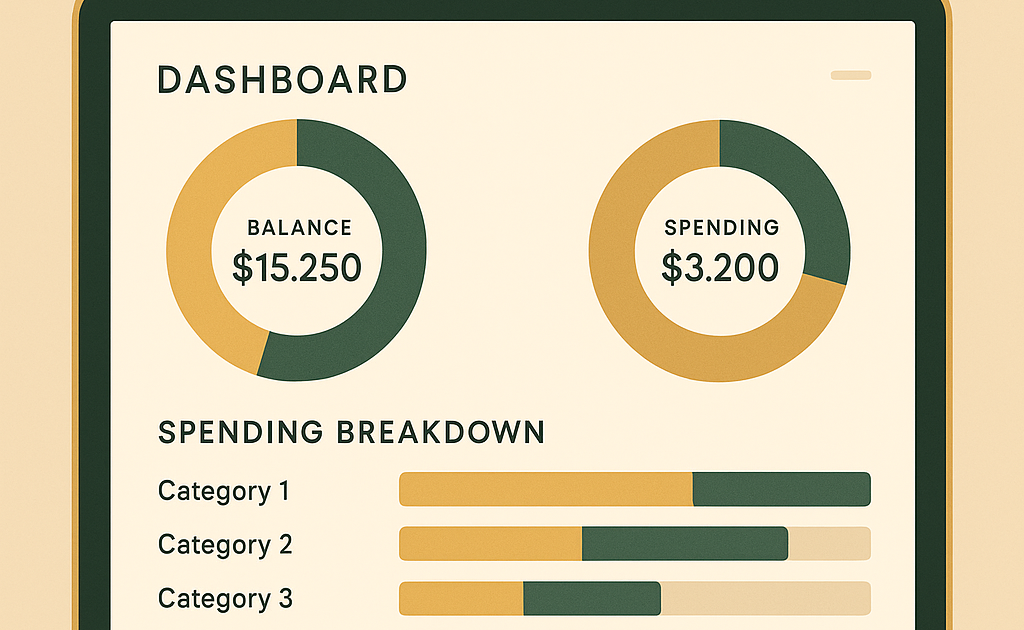
Once your accounts are synced, ChatGPT creates a dashboard that gives you an overview of your financial position. The default view includes several sections.
Portfolio performance shows your investment accounts with gains, losses, and allocation breakdowns. Spending breaks down your expenses by category — groceries, dining, shopping, transportation, subscriptions, and more. Subscriptions lists all recurring charges with amounts and dates. Upcoming payments shows bills due in the next few weeks so nothing slips through.
The dashboard is not as polished as dedicated apps like Mint or YNAB. But it is integrated into ChatGPT, which means you can immediately start asking questions about what you see.
What You Can Ask ChatGPT About Your Finances
This is where the feature shines. Because ChatGPT has your actual financial context, the answers are specific and actionable.
You can ask things like:
“Help me come up with a plan to save a bit more in the next few months.” ChatGPT analyzes your recent spending, identifies the most flexible categories, and suggests specific caps. In my test, it looked at actual transaction data and recommended reducing dining from recent levels to a $450/month cap, cutting shopping to $300/month, and reducing transportation costs. It gave expected savings ranges for each category and simple rules to make the caps stick.
“Am I spending too much on subscriptions?” ChatGPT lists every recurring charge it found, flags the ones you may have forgotten about, and shows the total monthly and annual cost. It can help you decide which subscriptions to keep and which to cancel.
“How is my portfolio doing compared to the S&P 500?” ChatGPT pulls your investment data and compares performance against the benchmark, showing gains, losses, and allocation breakdowns.
The key advantage is context. Each question builds on the previous ones. ChatGPT remembers what you discussed and connects the dots across accounts, goals, and prior conversations.
What It Does Well
The spending analysis is the strongest feature. ChatGPT’s categorization is reasonably accurate, and the ability to ask natural language questions about your spending patterns is genuinely useful.
The portfolio overview is also solid. Seeing all your accounts in one place with performance metrics is convenient, especially if you have accounts at multiple brokerages.
The subscription tracking is practical. Subscriptions are easy to lose track of, and having ChatGPT surface them automatically is a real time-saver.
Where It Falls Short
The feature has important limitations. First, it is a preview and only available to Pro users in the U.S. OpenAI explicitly says it is not a replacement for professional financial advice.
Second, the dashboard is not as polished as dedicated finance apps. Mint, YNAB, and Personal Capital offer richer visualizations and better long-term tracking.
Third, privacy is an open question. OpenAI says you stay in control of your data, but connecting financial accounts to an AI system requires trust.
Fourth, the feature is still learning. OpenAI is starting with a smaller group to gather feedback before expanding to Plus users.
How It Compares to Other Financial AI Tools
ChatGPT is not the first AI to enter personal finance. Copilot (the finance app, not GitHub’s) uses AI for spending analysis. Cleo offers an AI chatbot for budgeting. But ChatGPT has advantages: the GPT-5.5 reasoning model is more sophisticated, the conversational interface is more flexible, and the integration with a general-purpose AI assistant means your financial conversations coexist with your other ChatGPT work.
Security and Privacy Considerations
OpenAI uses Plaid for account linking, which is the industry standard. Plaid handles authentication directly with your financial institutions — ChatGPT never sees your login credentials. Once connected, you control what data ChatGPT can access and how long it retains the information.
Frequently Asked Questions
Q: Is ChatGPT’s personal finance feature free?
A: No, it is currently available to ChatGPT Pro subscribers in the United States.
Q: Which financial institutions are supported?
A: More than 12,000 financial institutions through Plaid.
Q: Is my financial data safe with ChatGPT?
A: OpenAI uses Plaid for secure authentication — ChatGPT never sees your login credentials.
Q: Can ChatGPT give me financial advice?
A: OpenAI explicitly states that ChatGPT is not a replacement for professional financial advice.
Conclusion
ChatGPT’s personal finance feature is a useful addition for Pro users who want to understand their money better through conversation. The spending analysis and subscription tracking are genuinely helpful. But it is still a preview that needs work on dashboards and expansion to more users.